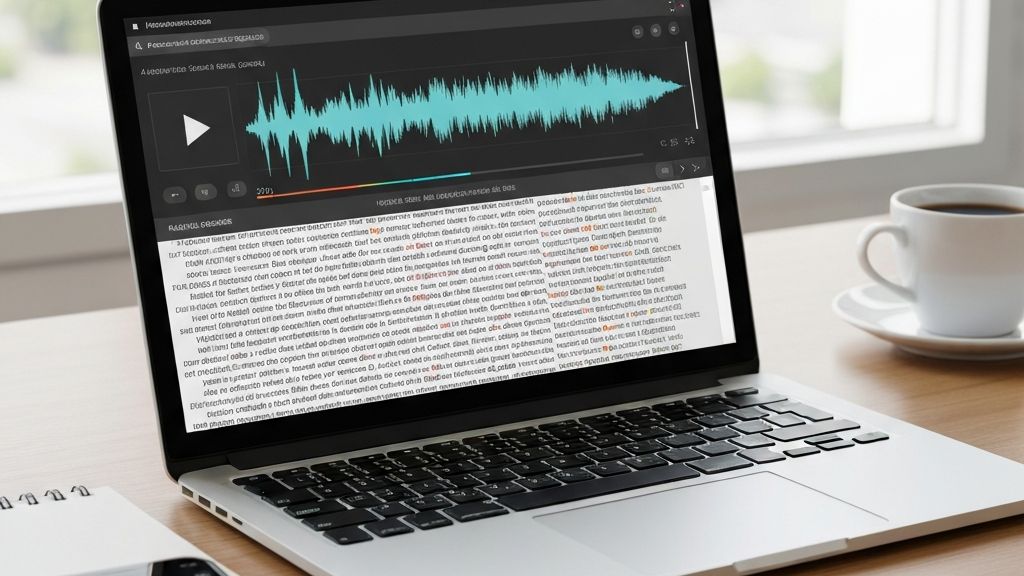
What is Video Transcription?
Video transcription turns audio or video into written text. You can record a video on your phone and send it for transcription. The system changes speech to text in a few minutes. It is simple and fast.
In practice, you upload a file or paste a link. The tool creates a written record of the speech. You get the final text for further work. AI w Biznesie offers such solutions for companies.
Transcription helps in many situations. You can make captions for your video. You can prepare training materials. It makes it easy to find needed information later.
Where to Get Material for Transcription
Material can come from different sources. You can record a conversation at a meeting. You can download a file from a video platform. You can also send a link from YouTube. Every format is accepted.
The choice depends on your needs. If you have a phone recording, upload the file. If you have a link, paste it in the form. The system will get the audio and turn it into text.
How Does the Transcription Process Work?
The process is simple and has a few steps. First, you upload a file or give a link. You choose the language of the recording. Then you start the processing. After a few minutes you get the finished text.
You do not need special knowledge. Everything works automatically. The system recognizes voices and creates the text. You just download the result.
What Information to Provide
When you order transcription, give some details. First, tell the output file format. It can be TXT, a Word document, or captions. Also say if you need speaker labels. This makes later editing easier.
Remember the quality of the recording. Louder and clearer sound gives a better result. Avoid background noise. This makes the text more accurate.
Supported Formats and Languages
Transcription tools support many file formats. You can upload MP4, MOV, AVI, MKV for video. For audio you have MP3, WAV, M4A. Each of these formats works correctly.
Languages also have a wide range. Some tools support 99 languages. Others offer over 150 languages. Among them are Polish, English, German, French, Japanese. You choose the recording language and get text in that language.
Why Many Languages Matter
If you work with clients from different countries, you need transcription in many languages. You can record a talk in English and get text in English. You can also record in Spanish and get the text. This helps international communication.
AI w Biznesie helps you pick the right tool for your needs. They advise which languages are most used in your field. This saves you time and money.
Accuracy and Practical Uses
Transcription accuracy depends on recording quality. If the sound is clean, the result is very accurate. AI tools reach 95 to 99 percent correctness. Poor recordings may need manual correction.
Transcription has many uses in business. You can create captions for promo videos. You can prepare training materials for workers. You can archive meetings and conversations.
Real-World Examples
Imagine you have a recording from a conference. With transcription you make notes for your team. Everyone can read what was said. No need to play the whole recording.
Another example: you run a webinar. After it ends you generate captions. Attendees can go back to specific parts. This increases the learning value of the material.
Transcription also helps in searching content. In a long recording it is hard to find one sentence. In text you can use the search function. Type a word and see the part immediately.
Manual vs Automatic Transcription
There are two main ways to do transcription. The first is a manual service done by a person. The second is automatic AI transcription. Each has its good and bad points.
Manual service is slower but gives a very accurate result. A person understands context and fixes errors. It costs more but works well for difficult recordings.
Automatic transcription is fast and cheap. The system processes the recording in minutes. It sometimes needs correction, but for most materials it is enough. AI w Biznesie offers both options.
When to Choose Each Option
Choose manual service if the recording has bad quality. If the sound is quiet or there is a lot of noise, a person does better. Choose automatic transcription when the recording is clean and standard.
Automatic transcription also works well for many materials. You can process dozens of recordings in a short time. This saves time and money. For companies that need regular transcription, AI is the perfect choice.
Before deciding, test both options. AI w Biznesie helps you pick the right tool. They advise which solution fits your situation.
Summary and Practical Tips
Video transcription is a powerful tool. It makes work with recordings easier and saves time. With it you can create captions, notes, and archives. Modern AI tools are fast and accurate.
Remember a few rules. Send high-quality recordings. Give the language and preferred format. Check the result and fix any errors. This gives the best outcome.
AI w Biznesie offers full support for transcription. They help choose a tool, test it, and use it in your company. This way everyone can easily turn video into text.
Try transcription in your work today. It is a simple way to use recordings better. It increases productivity and organizes information. Start now.

No responses yet