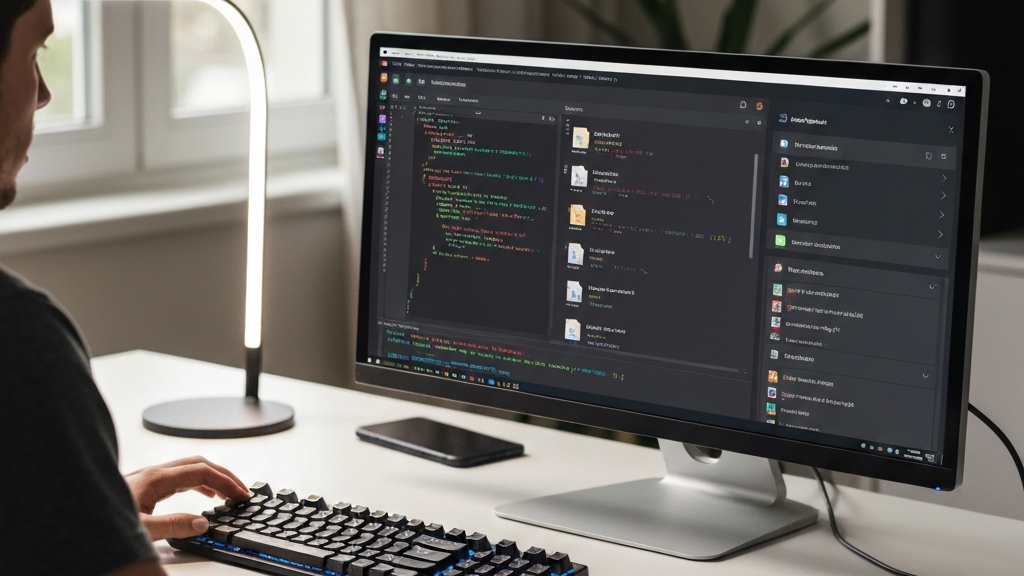
New DeepSeek Desktop App for Your Computer
Big AI companies now make their own apps for agents. OpenAI has Codex. Anthropic has Claude Code. Google changed its platform. Until now, DeepSeek had no such tool. That changed with a new app.
The new app is called DeepSeek Desktop. It is a free, open-source tool. A solo developer created it. This is not an official product from DeepSeek. It works on Mac, Linux, and Windows computers.
This app turns DeepSeek into a real work space. You can write code, create text, and automate tasks. It works like Codex, but for DeepSeek models. And it costs much less to use.
At AI w Biznesie, we think this tool is a great example of low-cost AI automation. Many businesses need smart helpers that do not cost too much. This app gives you one.
How the App Works
The app has two main modes. The first mode is for coding. The second mode is for writing. Each mode has different features. You can switch between them easily.
In coding mode, the AI agent can see your project files. It plans changes and checks your code. It understands the whole project. It can approve changes too. This is like having another developer in your team.
For example, you ask the agent to fix a bug. It looks at all related files. It finds the mistake and writes a fix. You review the change. Then you accept it. This saves hours of work.
Writing mode is a text editor with AI help. You can create documents. Fix mistakes. Rewrite parts. Work on long texts. It is a simple tool for writing tasks.
Imagine you need to write a weekly report. The agent helps you start. It suggests better words. It checks grammar. You finish faster with less effort.
Extra Helpful Features
The app has several useful tools. There is a side conversation for asking questions. A task list for long processes. A change log with code differences. And a live preview of what the agent creates.
You can also add integrations and tools. The agent can use external skills. This makes the app flexible for many jobs.
For instance, you connect the app to your database. The agent can pull data and create a report. It works without leaving the workspace.
How to Install and Start
Installation is simple. You need Node.js version 20 or newer. You must have a paid DeepSeek API key. And internet access for the first run.
First, copy the repository from GitHub. Then open your terminal. Go to the project folder. Install dependencies with the command npm install. Start the app with npm run dev.
The app opens in your browser. You can also use an Electron version. It looks like a normal desktop app. Set your theme and language. Paste your API key. Save the settings. Done.
At AI w Biznesie, we find this setup easy even for non-technical users. The developer made it beginner-friendly.
Personal Setup Options
You can adjust the app to your needs. Change the AI agent’s instructions. Add custom skills and external tools. Make the agent smarter over time. It is simple and quick.
You can even connect the app to your phone. That is a nice feature. The developer thought about everything. The app is user-friendly.
Why This App Is So Cheap
DeepSeek models are very inexpensive. The company lowered prices permanently. Now they cost 75% less than before. That is a big saving for users.
For input you pay 4 cents per 1 million tokens. For output you pay 87 cents per 1 million tokens. That is extremely low. Other models are many times more expensive.
Combining a cheap model with this app gives great value. You get one of the lowest-cost coding environments. Senior developers noticed this. But few people talk about it publicly.
In tests, doing a task cost less than one cent. The model built a whole website with animations. All for a fraction of a cent. This proves how affordable AI can be.
For a small business, this changes things. You can use AI for many jobs without spending a lot. That is a smart move.
What You Can Do With This App
The app is good for long coding sessions. The agent can work for hours. It checks code and fixes errors. It sees the whole project. This feels like an extra developer on your team.
It also works well for writing long texts. You can create documents, reports, or articles. The agent helps with editing. It improves style and grammar.
You can automate tasks. The agent runs them by itself. It keeps working until done. This saves time and effort.
Try Experiments With AI Agents
The app lets you experiment. Add new tools and skills. Test different setups. See what works best. That is great for curious people.
You can create your own agents. Give them tasks. Change their thinking level. A higher level gives better results. It is simple and flexible.
For example, set up an agent to answer customer emails. It can learn from past replies. Over time it gets faster and more accurate.
Important Notes for Users
This tool is not official. An independent developer made it. There is no support from DeepSeek. You use it at your own risk. But it is free and open-source.
DeepSeek’s data policy is unusual. The company may train on your data. Be careful what you send through the API. This is important for privacy.
The app runs locally. This gives you more control. Your data stays on your computer. But the DeepSeek API sees your requests. Remember that.
At AI w Biznesie, we always remind clients to check privacy policies. Know where your data goes.
How It Compares to Others
Other AI platforms have their own apps. OpenAI’s Codex is popular. Anthropic’s Claude Code is also used. Google has its tool. Hermes Agent has a desktop app.
DeepSeek Desktop is similar. It offers the same features. But it is cheaper. And it runs locally. Those are big advantages for budget‑conscious teams.
The main difference is the price. DeepSeek Desktop costs fractions of a cent. Other platforms are more expensive. Even with subscriptions, you pay more.
The app is simple to use. You do not need to learn much. It works right away. That is good for beginners and advanced users alike.
For companies like AI w Biznesie, we often recommend starting with this app for small projects. It lets you test AI without big investment.
Future of the App
The project is new. The developer keeps improving it. He adds new features. The community helps. This is a dynamic development.
You can follow progress on GitHub. There you find updates and a feature list. You can report bugs. Suggest changes. This is a shared project.
The app has potential. It could become the standard environment for DeepSeek. But it needs time and community support. If you want to help, join the project.
At AI w Biznesie, we believe open‑source tools shape the future of AI. Everyone can contribute and benefit.
Summary
DeepSeek Desktop is an interesting app. It is free and open‑source. It works on every system. It pairs a cheap model with a good interface.
It suits coding, writing, and automation. It has two modes. Many useful features. And low operation costs.
Remember, this is not an official product. Watch out for data policy. But if you need a low‑cost AI workspace, this is a good choice. Give it a try.
The company AI w Biznesie recommends testing new tools. Every tool has its strengths. The important thing is that it fits your needs. DeepSeek Desktop might be a great start for your AI journey.

No responses yet